


Camera control
A photo of the employee can be captured during check-in as an extra visual confirmation. It makes each record easier to verify and lets questionable cases be reviewed afterwards.
MoreAt the moment of check-in the employee can be matched against the permitted location. Records made outside that location are identified, which helps close the gaps in supervision.
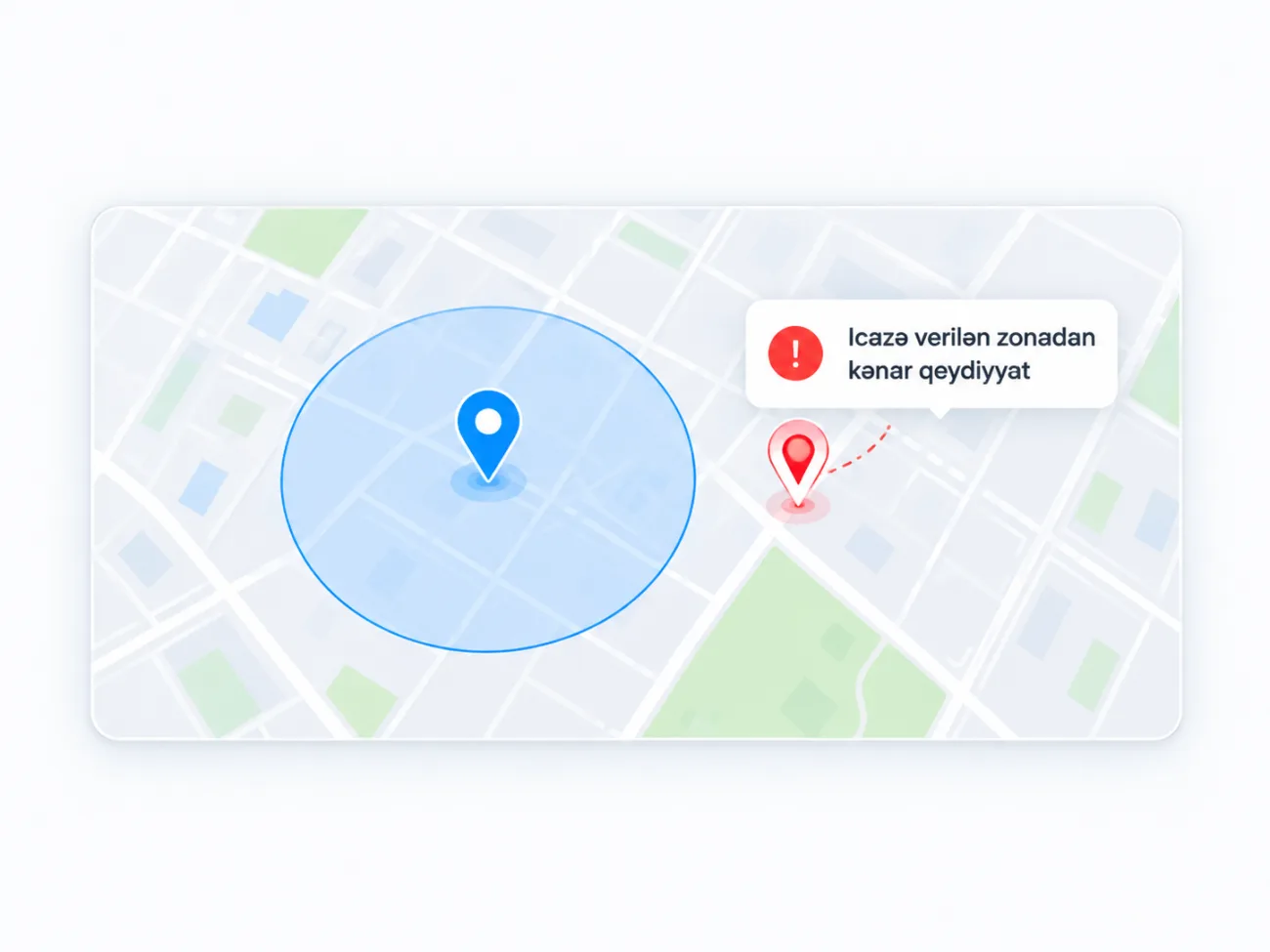
The check-in is matched against the permitted area
Records made outside the zone are shown separately
A separate area for every branch
Suited to work away from the office
Where a check-in was made often matters as much as the check-in itself. QRGate can verify whether the employee matches the permitted location at the moment of the record.
A permitted area is defined for each site. A check-in made outside it is flagged and reviewed separately, so attendance is followed not only in time but in place as well.
This is especially useful for teams whose workplace is away from the office: records made before reaching the site become clearly visible.
An allowed area is chosen on the map for each site
At check-in the device location is matched against the zone
A record made outside the zone is stored with its own mark
The panel shows where each record was made
A photo of the employee can be captured during check-in as an extra visual confirmation. It makes each record easier to verify and lets questionable cases be reviewed afterwards.
MoreUse of an employee account from a different or unsuitable device can be detected. This helps prevent situations where one employee checks in with a colleague's account.
MoreFollow employee check-ins, check-outs and attendance data digitally. Late arrivals and daily activity become easy to see, and management gets oversight that is transparent and simple to follow.
More


